
Steps for Account Reconciliation

Firmway Customer Service
Last Update för 5 år sedan
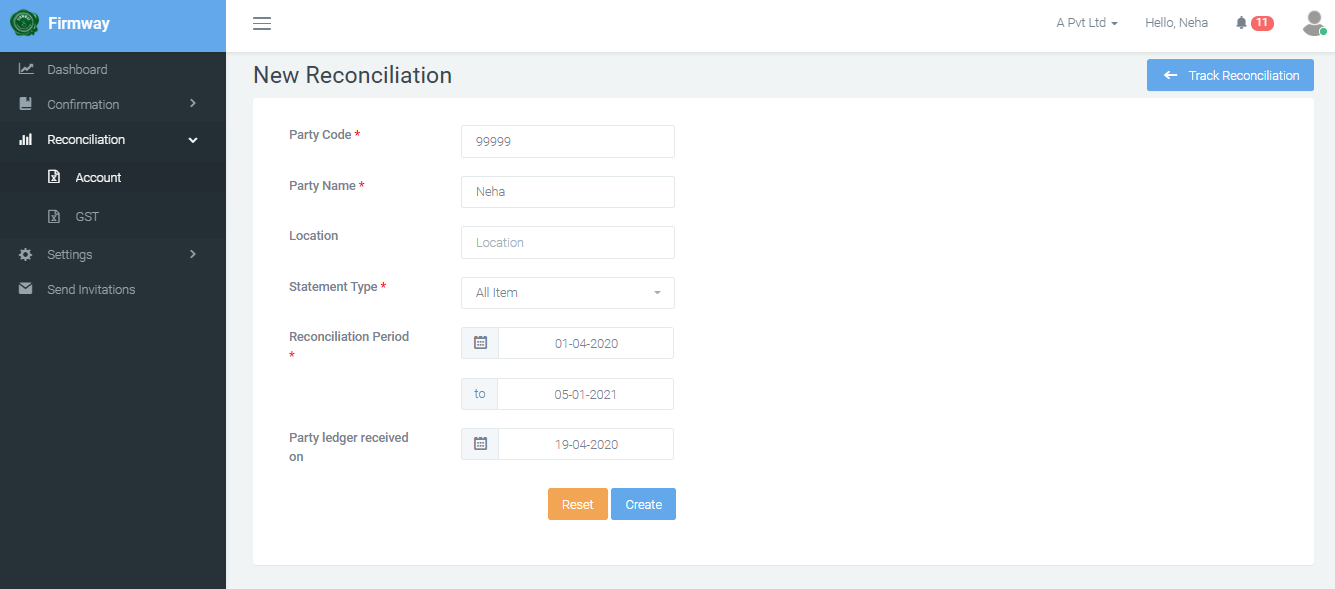
- Click on the Reconciliation > Account tab from the left panel.
- Click on New Reconciliation.

- Enter Party Code.
- Enter Party Name.
- Select Statement Type from dropdown (eg. All Item, Open Item).
- Enter the Reconciliation Period.
- Enter Party Ledger Received on.
- Click on Create.
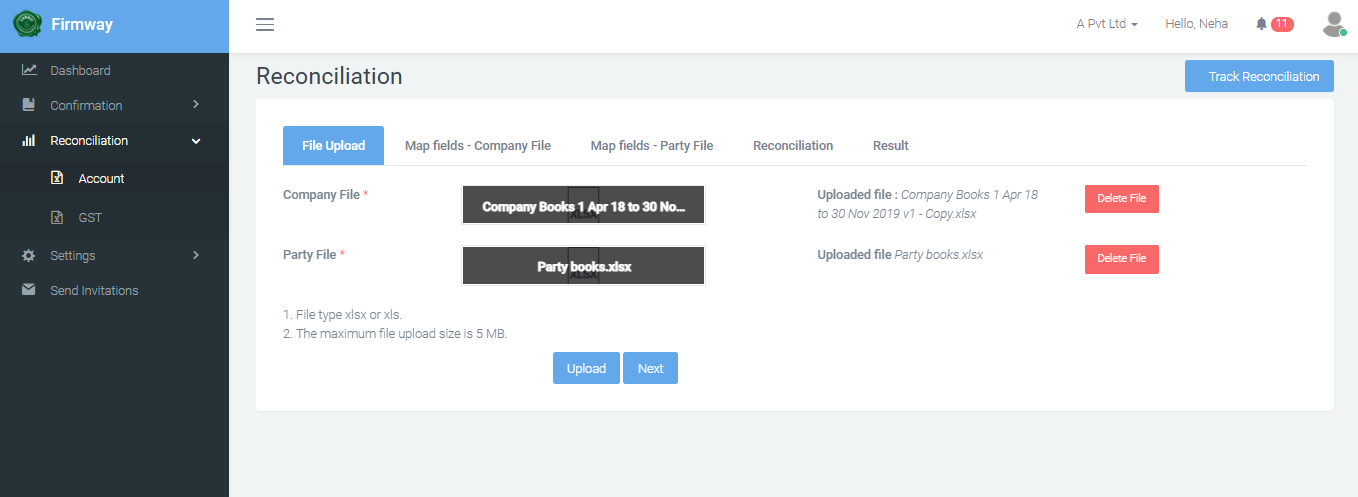
- Select a Company File.
- Select a Party File.
- Click on Upload.

- Click on Next.
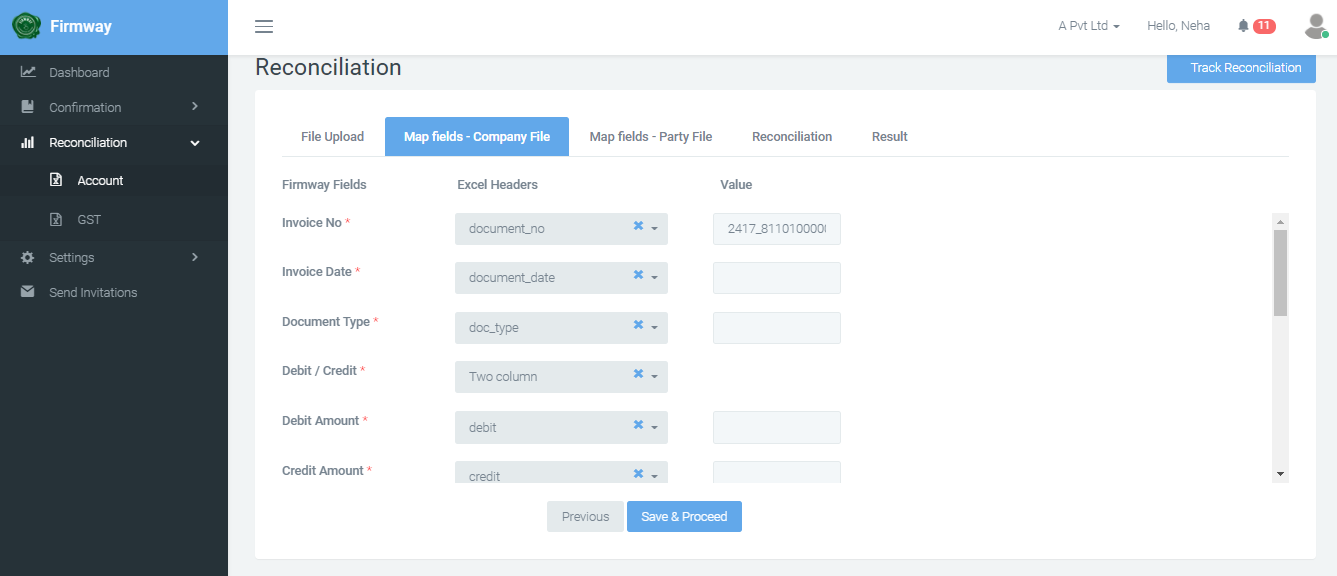
- Map the following fields in Company File - Invoice No, Invoice Date, Document Type, Debit / Credit, Debit Amount.
- Click on Save & Proceed.
- Map the following fields in Party File - Invoice No, Invoice Date, Document Type, Debit / Credit, Debit Amount, Credit Amount.
- Click on Save & Proceed.

- Click on Auto Reconcile to begin the reconciliation.

- Once the status is DONE, click on Export to download the reconciliaiton.